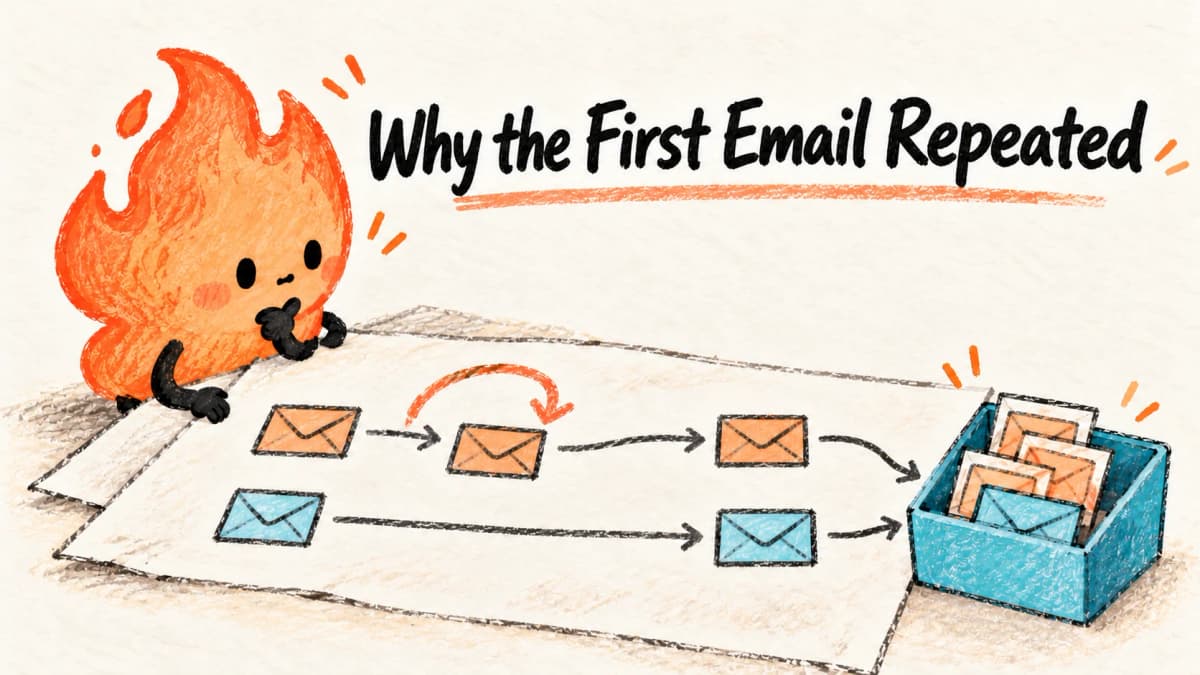
AI-generated hand-drawn flame illustration summarizing the article, not a product screenshot or test evidence.
An n8n notification rehearsal: why retrying a batch sent the first email twice
A downloadable workflow and a local SMTP trial expose duplicate delivery, invalid submissions and retry limits. Learn what a one-item loop fixes, and what it cannot fix.
Reading basis · Local functional experiment
2026-10-16 (Asia/Shanghai) · n8n 2.43.7 / Node.js 24.19.0
Windows 11, private SQLite and loopback SMTP receiver. Synthetic reserved-domain addresses only, no real accounts.
Actual n8n execution: batch retry, one-item retry, repeated execution and permanent rejection. Local receiver events and selected node outputs verify the counts.
No external form, spreadsheet or inbox delivery. One-item retry narrows this retry boundary but does not implement cross-run idempotency, concurrency protection, alerts or recovery.
- Download inactive workflow bundle
- Inspect workflow JSON, no credentials
- Four trial results
- Selected actual node outputs
- Rehearsal method
These are observations within the stated scope, not certification or a comprehensive quality verdict.
A small team collects requests and sends each person a confirmation. One address fails temporarily. It sounds sensible to retry the email node, but what happens to the confirmations it already sent?
In our first n8n trial, the first recipient's message was accepted, the next recipient was temporarily rejected, and retrying the node sent the first message again. The run finished successfully with three accepted messages for two eligible requests. A green execution status did not tell us whether the business task was correct.
We tested this on October 16, 2026 with n8n 2.43.7, Node.js 24.19.0, a private SQLite database and a local SMTP receiver on Windows 11. No real customers, external form, spreadsheet or internet email service were connected. The receiver recorded SMTP acceptance, not delivery to an inbox or a person opening a message.
Four submissions, two that should send
The input was deliberately small enough to inspect without programming:
| Input | Address | Intended treatment |
|---|---|---|
| REQ-1 | first@example.invalid | Send once |
| REQ-1 again | first@example.invalid | Flag as a duplicate within this batch |
| REQ-2 | not-an-email | Flag as invalid; do not send |
| REQ-3 | retry@example.invalid | Retry once after a temporary rejection |
These are synthetic addresses in a reserved, non-deliverable domain. The validation node accepts only that domain and request IDs shaped like REQ-1, keeping an imported rehearsal away from real recipients. This is a lab restriction, not a complete email-validation rule.
The duplicate check remembers request IDs only while processing this input batch. It does not consult a permanent record. That distinction matters later.
What changed between the two retry designs
The baseline passed both eligible items straight into the email node. Its retry setting allowed two attempts in total, with a one-second wait. Our local receiver accepted the first address and returned a temporary 450 rejection for the second address's first attempt.
The node retried its input batch. It did not undo the first SMTP acceptance, nor skip that already accepted item. The receiver recorded the first address twice and the second address once.
We then put a Loop Over Items node before the email node and set its batch size to 1. Its loop output went to the email node; that node returned to the loop. The done output led to a completion node. The retry settings stayed the same, but each email-node invocation now received only one item.
The first recipient was accepted once. The temporary failure retried only the second recipient, which was then accepted once. This narrowed the retry boundary; it did not create a universal exactly-once guarantee. n8n's Loop Over Items documentation explains the loop and done outputs. Most n8n nodes already process lists; the reason for this loop is our observed retry behavior, not a rule that every workflow needs one.

All four trials, including the unsuccessful one
| Trial | Accepted messages | Recipient attempts | What the result tells us |
|---|---|---|---|
| Batch retry | First address 2; retry address 1 | First 2; retry 2 | Earlier success was repeated |
| One-item retry | First 1; retry 1 | First 1; retry 2 | The temporary rejection did not resend the earlier item |
| Same one-item workflow executed twice | First 2; retry 2 | First 2; retry 3 across both runs | Batch memory does not survive another execution |
| Always-rejected address | 0 | 2 | The run failed after the configured attempts; it did not pretend to complete |
The repeat-execution trial kept the same receiver for both runs. Its temporary rejection occurred only on the first attempt overall, which explains why the retry address has three attempts rather than four. The permanent-failure trial returned 450 on both attempts and the execution exited unsuccessfully.
Download the four-trial CSV for a quick inspection, the receiver event records for the order of acceptance and rejection, and the method and checks for the exact scope. These are observations from this fixture and version, not a measurement of all n8n nodes or email providers.
Rehearse it without connecting customer accounts
- Download the inactive workflow bundle and extract
workflow.json. In your own n8n workspace, create an empty workflow and use its menu to import that JSON file, not the ZIP. Keep it unpublished. It contains no account credentials and no webhook or schedule. The bundle also includes the method and recorded results; you can inspect the JSON directly before importing. - Open Synthetic form submissions. Confirm the four rows above. Do not replace them with real customers. Open Validate and deduplicate this batch and inspect its output after execution: two ready rows, one duplicate and one invalid row are the intended split.
- On Send to test mailbox, select credentials for a local mail catcher you control, not a real mail provider. The downloadable flow intentionally has no credential selected. Our receiver used
127.0.0.1:2525, without authentication or TLS, on the same Windows host. In a container, that address points at the container itself; use the mail catcher's reachable local service address instead. Never expose an unauthenticated catcher to the internet. - If you do not have a local catcher, stop here and inspect our event download. A normal catcher may accept every message: that checks wiring, but does not reproduce our
450failure. The method explains how our test receiver rejected the firstretry@example.invalidattempt and everyfail@example.invalidattempt. - Run the manual trigger once. Inspect the rejected branch, the email-node runs and the receiver's messages. A successful run should not by itself be your acceptance criterion. With our rejection fixture, verify one accepted message for each eligible request.
- Run the same flow again. Expect another message for each eligible request. Treat that as a demonstrated limitation, not a reason to keep pressing retry against a real mailing list. Remove test SMTP credentials when finished.
The workflow intentionally keeps technical node names in English so these instructions match the imported file. You can ask Codex or Claude to explain the validation code and connections, but require it to preserve the .invalid restriction, manual trigger and missing production credentials during rehearsal. Do not paste account passwords into a chat.
Before using this pattern for real requests
For a first, low-risk internal automation, the useful lesson is to define success per request, not per green workflow run. Keep rejected input visible and make exhausted retries noticeable. The failure case in this lab stops the run; it does not include an operator alert or a queue for later recovery.
An actual form also needs a stable request ID and durable processing state. A simplistic “check a spreadsheet, send, then mark sent” sequence can still race with another execution. It can also crash after the email is accepted but before the mark is written. Use an atomic claim or queue, retain a delivery record, and investigate uncertain outcomes before resending. Those are production design requirements, not implemented or tested features of this download. Ordinary SMTP does not provide this workflow with an exactly-once business guarantee.
Use a confirmation message with no attachment or sensitive customer details while validating the real provider. Authentication, TLS, rate limits, spam filtering, bounces and actual inbox delivery require separate tests. Do not copy the lab's no-authentication SMTP configuration to an internet service.
Is n8n the right amount of machinery?
If a form platform's built-in confirmation already meets your need, it removes a service you would otherwise maintain. n8n becomes more useful when the task needs several branches, visible transformations or connections between systems you control. A script may be smaller for a developer, but its logs and recovery process still need to be understandable to the person operating it. These are tradeoffs, not competing products we benchmarked here.
n8n publishes community software under its Sustainable Use License, rather than an unrestricted open-source license. Internal business use and offering a hosted service to customers are different licensing questions. Review the applicable terms before commercial embedding or resale; self-hosting also has machine, email and maintenance costs. Our n8n repository assessment covers the broader adoption decision.
This experiment adds a narrower, checkable answer: a one-item loop fixed the duplicate caused by this batch retry, while a repeated execution still sent duplicates. That is enough to improve a rehearsal, and a clear reason not to label it production-ready.
Continue your evaluation
Newsletter
Join the community
Subscribe to our newsletter for the latest news and updates