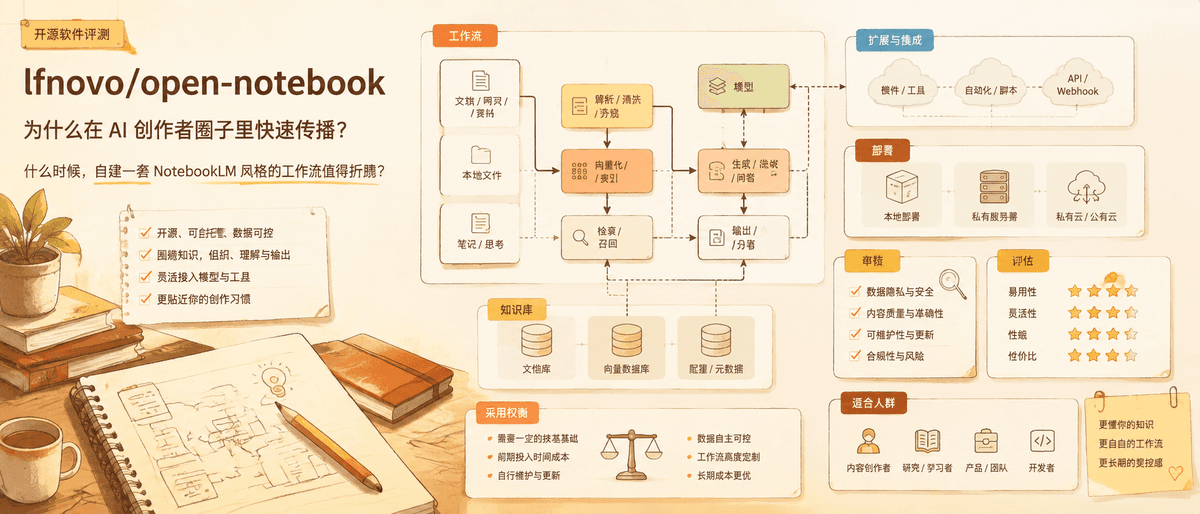
Open Notebook: The Practical NotebookLM Alternative for People Who Need Control
A Git-Stars review of open-notebook, why it is spreading through AI creator circles, and when a self-hosted NotebookLM-style workflow is worth the setup.
Notebook-style AI tools are popular because they solve a familiar problem: people collect PDFs, articles, meeting notes, transcripts, and links faster than they can make sense of them. Google's NotebookLM proved the concept. But does the open-source version deliver enough to justify the setup cost? I spent time evaluating the project to find out.
That is why open-notebook is an interesting project to watch. It appeared in a June 2026 YouTube video about open-source AI projects that TikHub captured with about 148,928 views. The same source grouped it with agent skills and context-compression tools, which is a useful signal: the audience was not only looking for another chat UI. It was looking for ways to make AI work with private knowledge.
When checked on August 13, 2026, the repository had about 36,761 GitHub stars, 4,217 forks, an MIT license, and recent activity. Those numbers do not prove quality by themselves, but they suggest enough adoption to justify a deeper look.
What Problem It Actually Solves
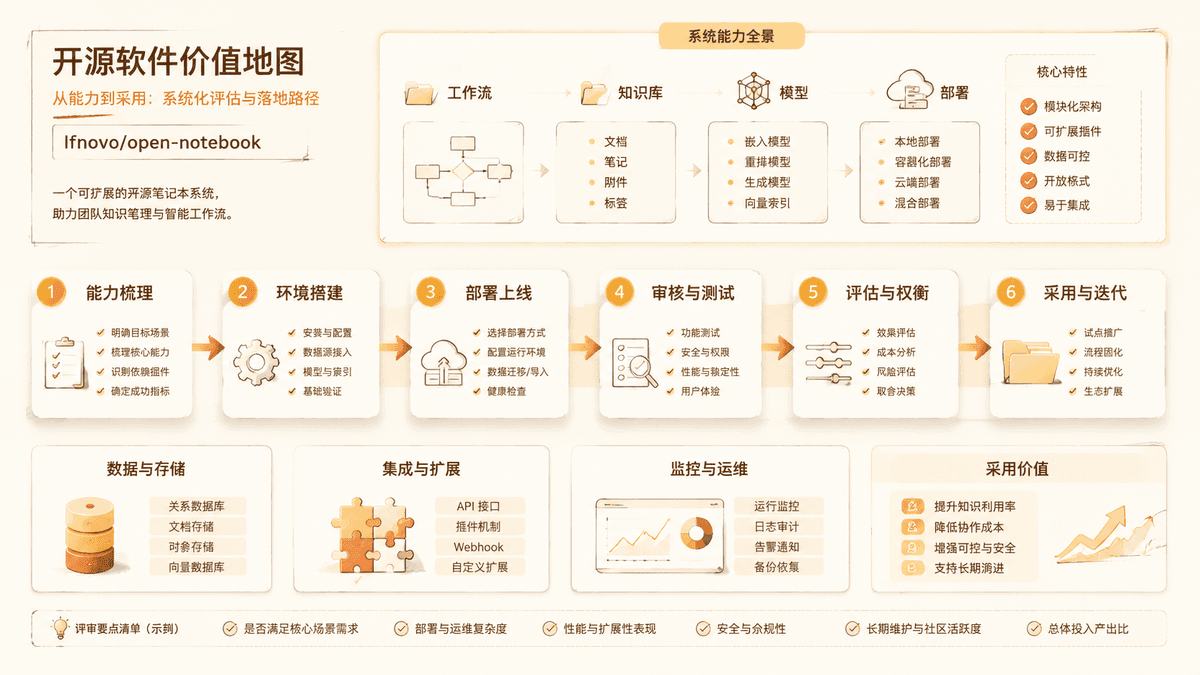
open-notebook is best understood as a self-hosted knowledge workspace. Instead of pasting isolated prompts into a chat window, you organize source material and ask questions against that collection. This makes the project useful for students, analysts, founders, researchers, content teams, and solo operators who repeatedly work with long documents.
The value is not "AI can summarize text." Many tools do that. The more useful value is that a notebook gives the user a place to return to. If your question changes, the source collection is still there. If a summary is too broad, you can ask a narrower follow-up. If you are comparing several documents, the project becomes a lightweight research cockpit rather than a one-off answer box.
This is also where open-source control matters. A hosted AI notebook is easier, but it may not fit teams with privacy rules, model preferences, or workflows that need customization. open-notebook is attractive when the user wants the NotebookLM shape without committing every source and behavior to one vendor.
Why It Spread on Social Media
The social hook is easy to understand: "open-source NotebookLM" is a compact promise. It connects a known product category with a user desire for control. That kind of comparison travels well because users do not need a technical background to grasp the pitch.
But the deeper reason is timing. More people are discovering that chat alone is not enough. If you ask an AI assistant to reason over scattered files, you quickly hit context limits, citation uncertainty, and source-management friction. Notebook-style tools give structure to that chaos.
The YouTube source also placed open-notebook beside projects for coding-agent skills and context compression. That context matters. It shows that creators are beginning to treat AI work as a system: source management, context selection, model calls, output review, and repeatable workflows. open-notebook fits neatly into that system.
Deployment Difficulty
Git-Stars score: Medium
This is not the hardest kind of AI project to run, but it is not a simple browser extension either. A self-hosted notebook normally has several moving parts: the application itself, local or remote model access, storage for documents, and sometimes background processing for indexing or retrieval.
For a developer, the setup is manageable if the README is followed carefully. For a non-coder, the main risks are environment variables, model-provider configuration, and understanding where uploaded documents are stored. If you only want to try the concept for an afternoon, a hosted notebook product may be faster. If you want to evaluate a repeatable internal workflow, the extra setup can be justified.
The safest test path is to create a disposable local folder, use non-sensitive documents first, and connect a model provider with a restricted API key. Do not start by uploading contracts, customer data, or private research files until you understand the storage and model paths.
What Users Actually Report
Community feedback paints a consistent picture. One tech reviewer on XDA replaced NotebookLM with Open Notebook for a full week and concluded it was "good enough to make me hesitate" ?but noted the setup friction was higher than expected. Docker configuration, encryption keys, and API key management added steps that a hosted product simply hides.
Developers on Reddit and GitHub discussions report that setup takes roughly 10?5 minutes with Docker experience, but can stretch to an hour for users unfamiliar with environment variables and compose files. The most common complaint is that 8 GB RAM machines cannot run local models, which forces reliance on cloud APIs and partially defeats the privacy argument.
On the positive side, users consistently praise the podcast generation feature (customizable multi-speaker profiles) and the model flexibility ?18+ providers including OpenAI, Anthropic, and Ollama. The context transparency showing token usage per query is a feature NotebookLM lacks entirely.
The pattern across community reports: Open Notebook rewards users who have both technical comfort and a recurring research workflow. One-time curiosity users tend to bounce back to NotebookLM within days.
Feature Comparison
| Feature | Open Notebook | Google NotebookLM | Dify | RAGFlow |
|---|---|---|---|---|
| Self-hosted | Yes (Docker) | No | Yes | Yes |
| License | MIT | Proprietary | Apache-2.0 | Apache-2.0 |
| Model choice | 18+ providers | Gemini only | Multiple | Multiple |
| Podcast generation | Yes, customizable | Yes, limited | No | No |
| Mind maps / quizzes | No | Yes | No | No |
| Min. RAM for local | 16 GB+ | N/A (cloud) | 8 GB | 8 GB |
| Setup time (developer) | 10?5 min | Instant | 5?0 min | 10?0 min |
| Privacy (fully local) | Yes, with Ollama | No | Partial | Yes |
Commercial Usability
Git-Stars score: High, with operational caveats
The repository reports an MIT license, which is generally business-friendly. That is a strong point compared with projects that are source-available, dual-licensed, or unclear about commercial use.
The caveat is that the application's license is not the whole commercial picture. Your model provider, embedding model, document sources, and uploaded data may each introduce their own rules. If you connect a paid API, cost and data-use terms matter. If you run local models, hardware and model licenses matter. If you upload copyrighted books or paid reports, document rights matter.
For company use, the right question is not only "Is the repo MIT?" It is: "Can we document where user files go, which model processes them, and what terms apply to that model?"
Capability Ceiling
Git-Stars score: Medium to High
open-notebook has a practical ceiling: it is strongest when the job is understanding and reusing a defined body of knowledge. It is less suited for open-ended automation, multi-step agent work, or production customer-facing RAG without additional engineering.
Compared with Open WebUI, it is more notebook-shaped and less general-chat shaped. Compared with Dify, it is lighter as a personal or team knowledge tool but less complete as an app-building platform. Compared with RAGFlow, it feels more accessible but may offer less enterprise retrieval depth.
That trade-off is not a weakness. A narrower tool can be better if the user's actual problem is reading, comparing, and remembering documents.
Who Should Try It
Try open-notebook if you already have a pile of documents and want a repeatable AI research space. It is especially interesting for independent researchers, newsletter writers, students, consultants, product managers, and small teams that want more control than a hosted notebook gives them.
Be cautious if you are not comfortable with local setup, if you need strict enterprise access control, or if your documents include sensitive data before you have reviewed the deployment path.
For non-coders, this is a good Codex-assisted experiment. Ask Codex to inspect the repository, list required services, identify environment variables, and explain where files are stored before you run it. That workflow matches our non-coder open-source guide.
Git-Stars Verdict
open-notebook is not viral because it is the flashiest AI demo. It is spreading because the notebook metaphor has become one of the clearest ways to make AI useful with real information. The project is worth covering because it sits at the intersection of three durable trends: self-hosted AI, document-centered workflows, and user control.
Its best audience is not everyone who likes NotebookLM. Its best audience is people who have enough recurring research work to make ownership valuable. That distinction is what turns a social-media recommendation into a serious open-source evaluation.
更多洞察

Langflow: Visual Agent Builders Are Useful, But Not Automatic
A practical review of Langflow, its visual workflow model, API and MCP deployment path, and where visual AI builders help or mislead teams.

Codebase Memory MCP: Is Code Intelligence Becoming Agent Infrastructure?
A practical review of Codebase Memory MCP, a knowledge-graph MCP server for AI coding agents, and what teams should verify before using it.
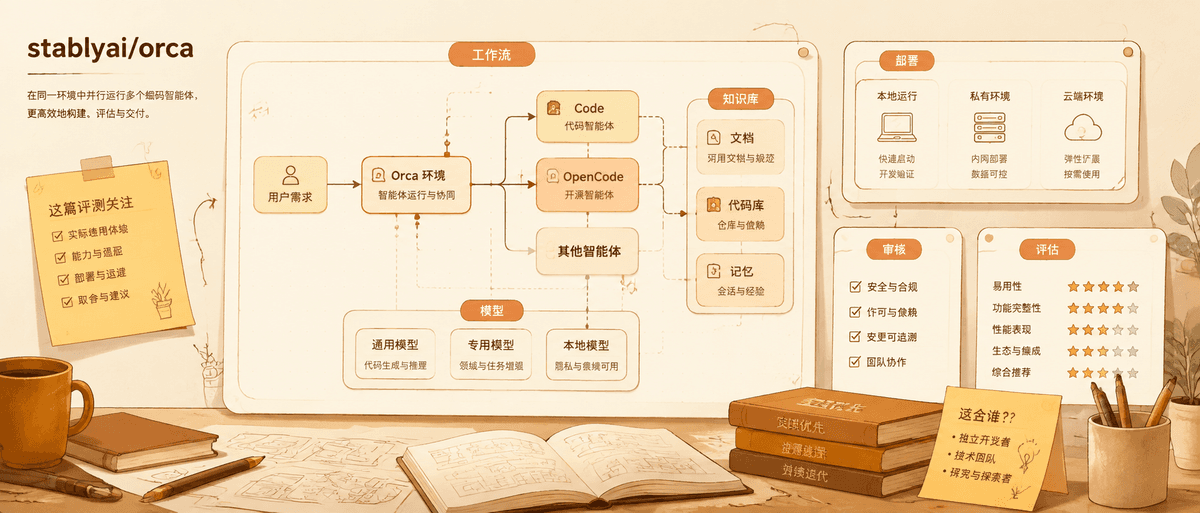
Orca: Do Parallel Coding Agents Need Their Own Workspace?
A practical review of Orca, the agent development environment for running Codex, Claude Code, OpenCode, and other coding agents side by side.
邮件列表
加入我们的社区
订阅邮件列表,及时获取最新消息和更新